Free 7-Day Assessment
What Would 7 Days of Browser Visibility Reveal About Your Organization?
Deploy Acium's lightweight browser extension in silent mode for 7 days. Receive a personalized Risk Exposure Report exposing extension risks, AI data leaks, Shadow IT, and threats your security stack cannot see. Free. Zero disruption. No obligation.
- Deploy in minutes on Chrome, Edge, and Firefox. No infrastructure changes.
- Silent mode means zero user disruption. Employees notice nothing.
- Receive a branded PDF report with concrete findings from your environment.
- Consultative walkthrough call to review findings and recommended actions.
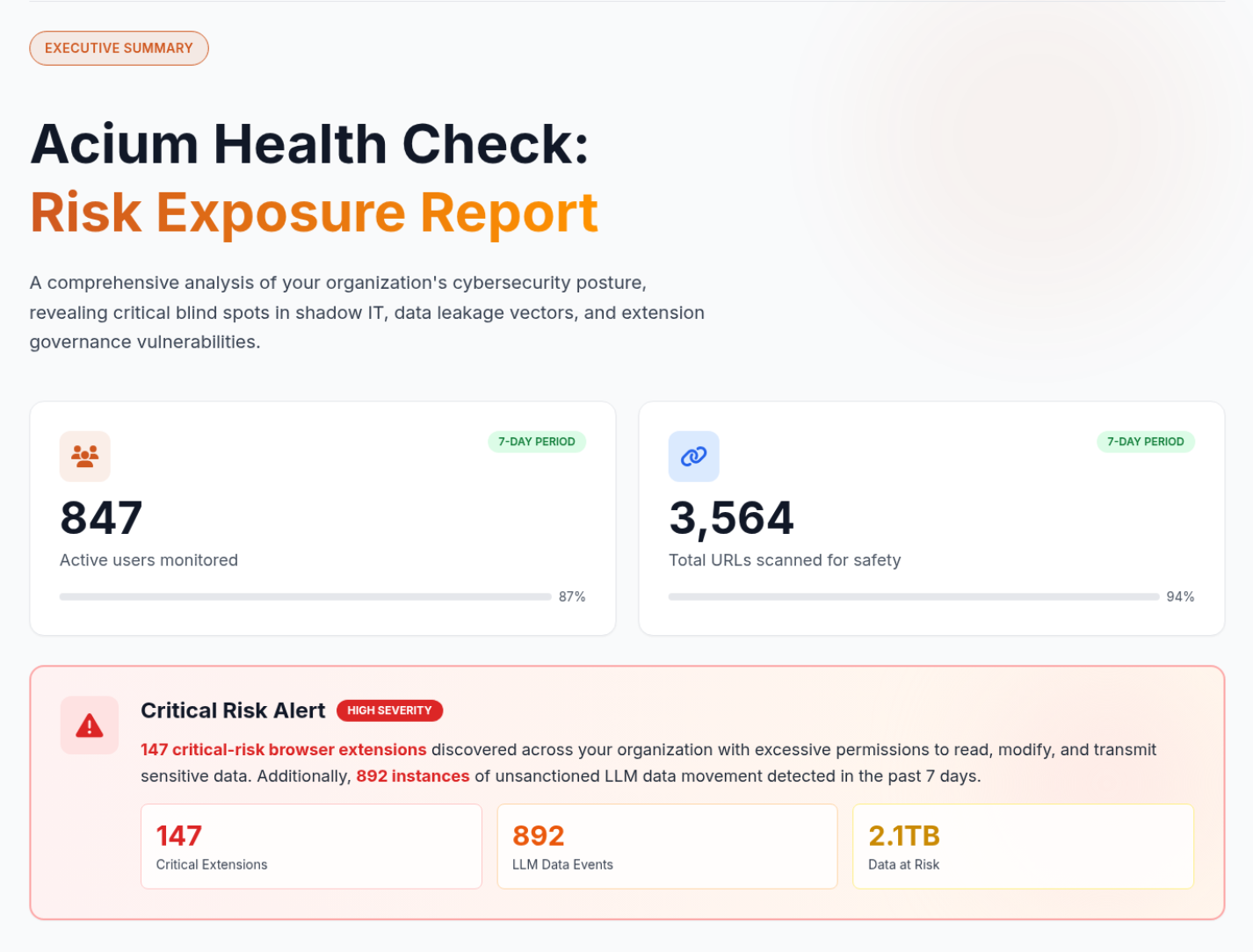
Your Security Stack Has a Browser-Sized Blind Spot
Your firewalls, EDR, and email gateways were built for a different era. None of them can see what is happening inside the browser, where 90% of enterprise work actually happens. The Health Check proves it with your own data.
95%
of organizations have experienced a browser-based attack
70%
of CISOs report their tools lack visibility to detect breaches
44%
of CISOs missed a data breach in the past 12 months
Extensions Are Unmanaged
The average organization discovers hundreds of browser extensions in their first Health Check, many with critical permissions no one has reviewed. Extensions are the wild west of enterprise security.
Data Is Leaking to AI Tools
Employees paste sensitive data into ChatGPT, Copilot, and other AI tools daily. Your CASB and DLP cannot see these in-browser data flows. The Health Check quantifies every clipboard event and file transfer.
Shadow SaaS Is Invisible
Unsanctioned applications operate outside IT visibility. Employees create accounts on AI platforms using corporate SSO without approval. Your existing tools see none of it.
See What Your Firewalls, EDR, and CASB Are Missing
In just 7 days, the Health Check surfaces six categories of findings that your existing security stack cannot detect. Each section of the report maps directly to actionable policies you can turn on immediately.
Extension Risk Discovery
Complete inventory of every extension across your organization, automatically scored for risk. See which extensions have critical permissions, which are malicious, and which are unmanaged. The report breaks down risk segmentation from safe to critical.
GenAI Data Exposure
Every GenAI and LLM platform your employees visit, every clipboard paste event, every file upload and download within AI sessions. The report quantifies exactly how much sensitive data flows into tools your security team does not control.
Shadow IT and SaaS Mapping
Discover unsanctioned SaaS applications operating outside IT visibility. See which tools employees access, how often, and through which authentication methods, including unvetted "Login with Google" account creation.
Web Traffic Intelligence
Top visited SaaS applications by category, most frequented external websites, active web category distribution, and geographic access patterns. A complete situational picture of your organization's browser-based activity.
Threat and Compliance Findings
PII exposure events detected in transit, file download analysis by type (documents, executables, ZIP files) to identify potential malware vectors, and real-time safe browsing verification evidence for compliance and audit purposes.
Actionable Policy Recommendations
The report does not just show problems. It recommends specific policies to activate immediately based on your findings: block critical extensions, alert on LLM clipboard pastes, restrict file uploads to AI tools, enforce web filtering rules.
From Blind Spot to Full Visibility in 7 Days
Deploy the Extension
Install Acium's lightweight browser extension on Chrome, Edge, or Firefox in minutes. No infrastructure changes, no user retraining. The extension runs in silent mode with zero user disruption.
7 Days of Discovery
The extension passively observes browser activity for 7 days. Extension usage, AI tool interactions, SaaS access patterns, data movement, and threat signals. No blocking, no alerts, no changes to employee workflows.
Receive Your Report
Acium delivers a branded Risk Exposure Report with concrete findings from your environment. A consultative walkthrough call reviews each finding and recommends immediate policies to activate.
Your Personalized Risk Exposure Report
Every Health Check produces a comprehensive, branded report you can share with leadership. Here is what a real assessment looks like.
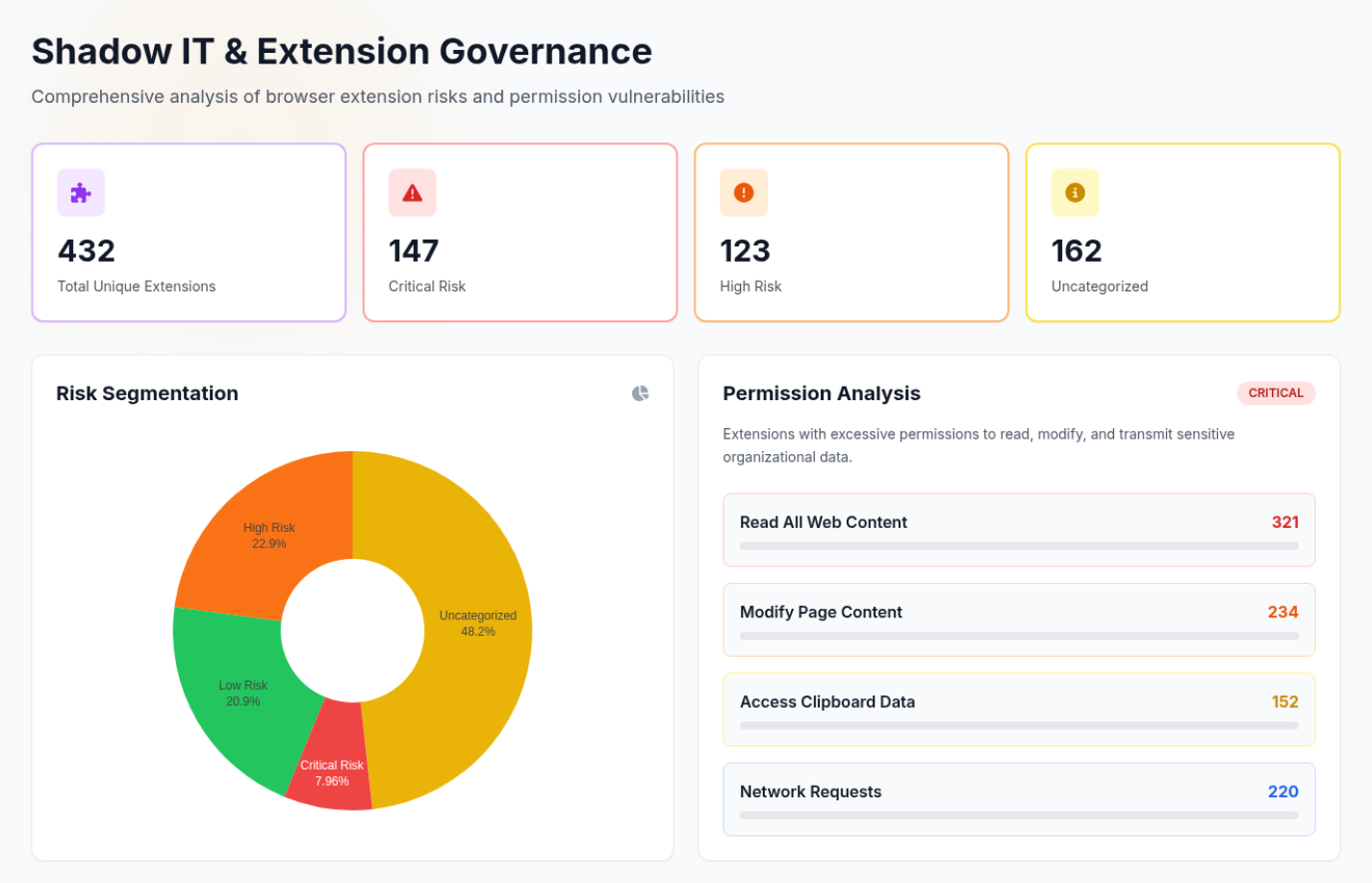
Shadow IT and Extension Governance — extension inventory, risk segmentation, and permission analysis.
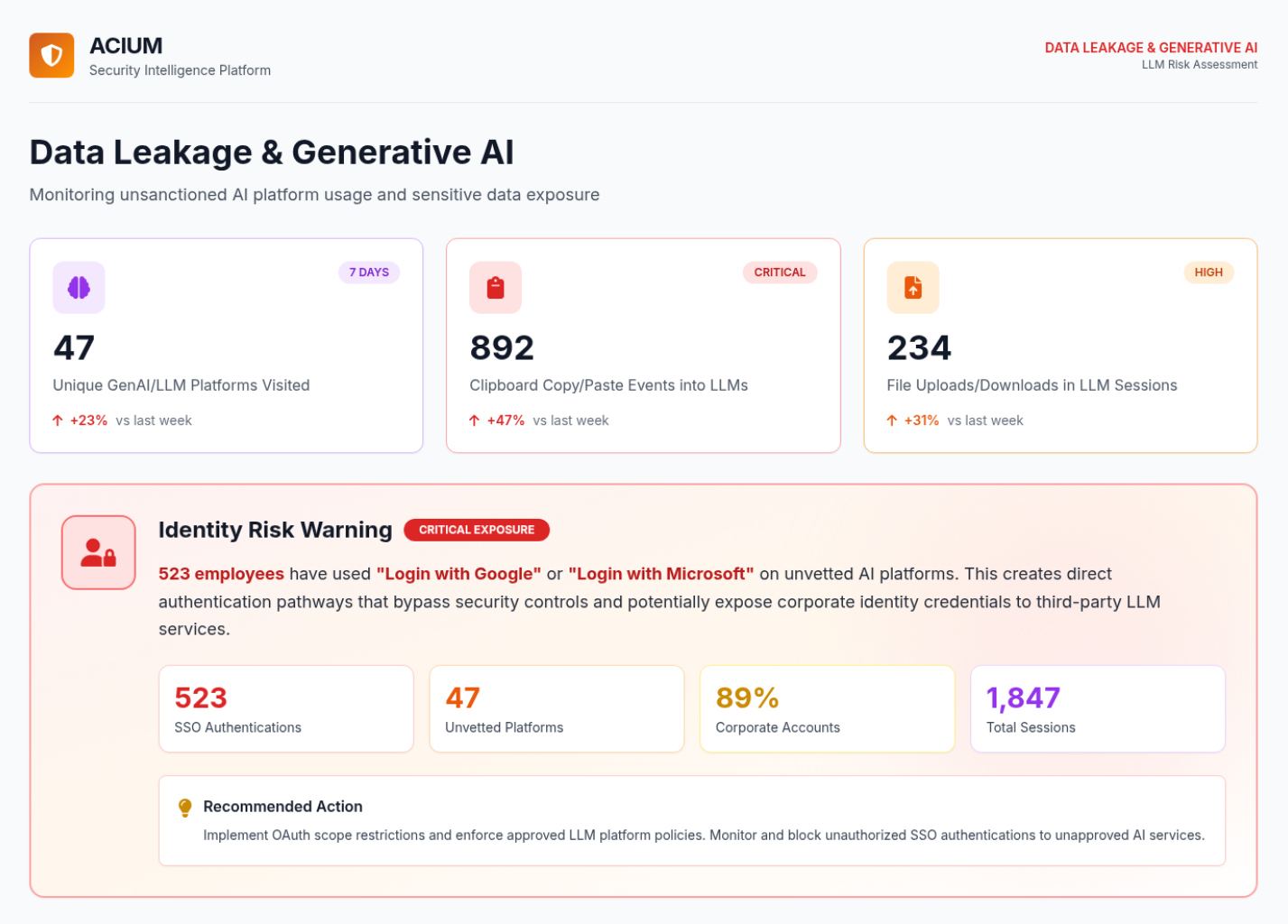
Data Leakage and Generative AI — LLM platform visits, clipboard events, and file transfers.
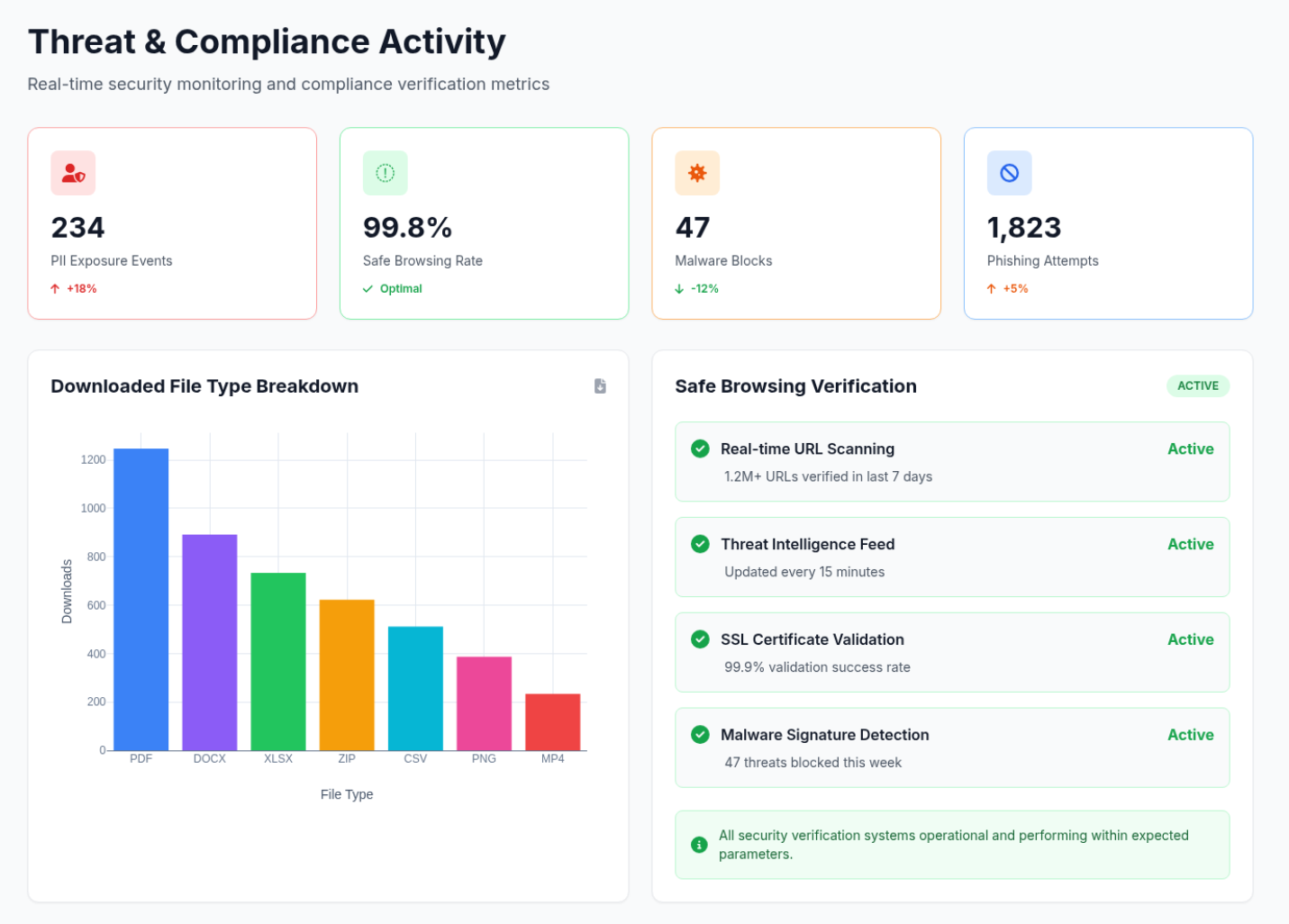
Threat and Compliance Activity — PII exposure events, file payload analysis, and safe browsing verification.
The Numbers Speak for Themselves
95%
of organizations have experienced a browser-based cyber attack
70%
of CISOs report their existing tools lack the visibility to detect breaches
44%
of CISOs missed a data breach in the past 12 months because their tools could not see it
Join forward-thinking security teams that are closing the browser security gap.
Frequently Asked Questions
Ready to See What You're Missing?
Deploy in minutes. Zero disruption. Your personalized Risk Exposure Report in 7 days. 95% of organizations that run the Health Check discover critical risks their security stack never detected.